Table of Contents
- The review in 30 seconds
- Why Cua exists
- The part I like most
- What Cua appears to do well
- The catch
- Cua pricing: what the numbers actually mean
- What makes me cautious about security and control
- What looks strong—and what still needs proving
- How I would test Cua
- Cua alternatives
- Who should actually use Cua?
- The funding context
- Final verdict
- Frequently asked questions
Giving an AI agent access to a computer is easy to demonstrate and uncomfortable to deploy. The useful question is not whether the agent can click; it is whether a person can see, interrupt and contain what happens next. That is the problem Cua now appears focused on.
Cua is shared desktop and computer-use infrastructure for people and AI agents.
My short take: Cua is compelling for technical teams willing to own the machines underneath their agents. Try one reversible workflow on an isolated computer and measure how often a person intervenes. If you want a completely managed fleet, this is no longer that product.
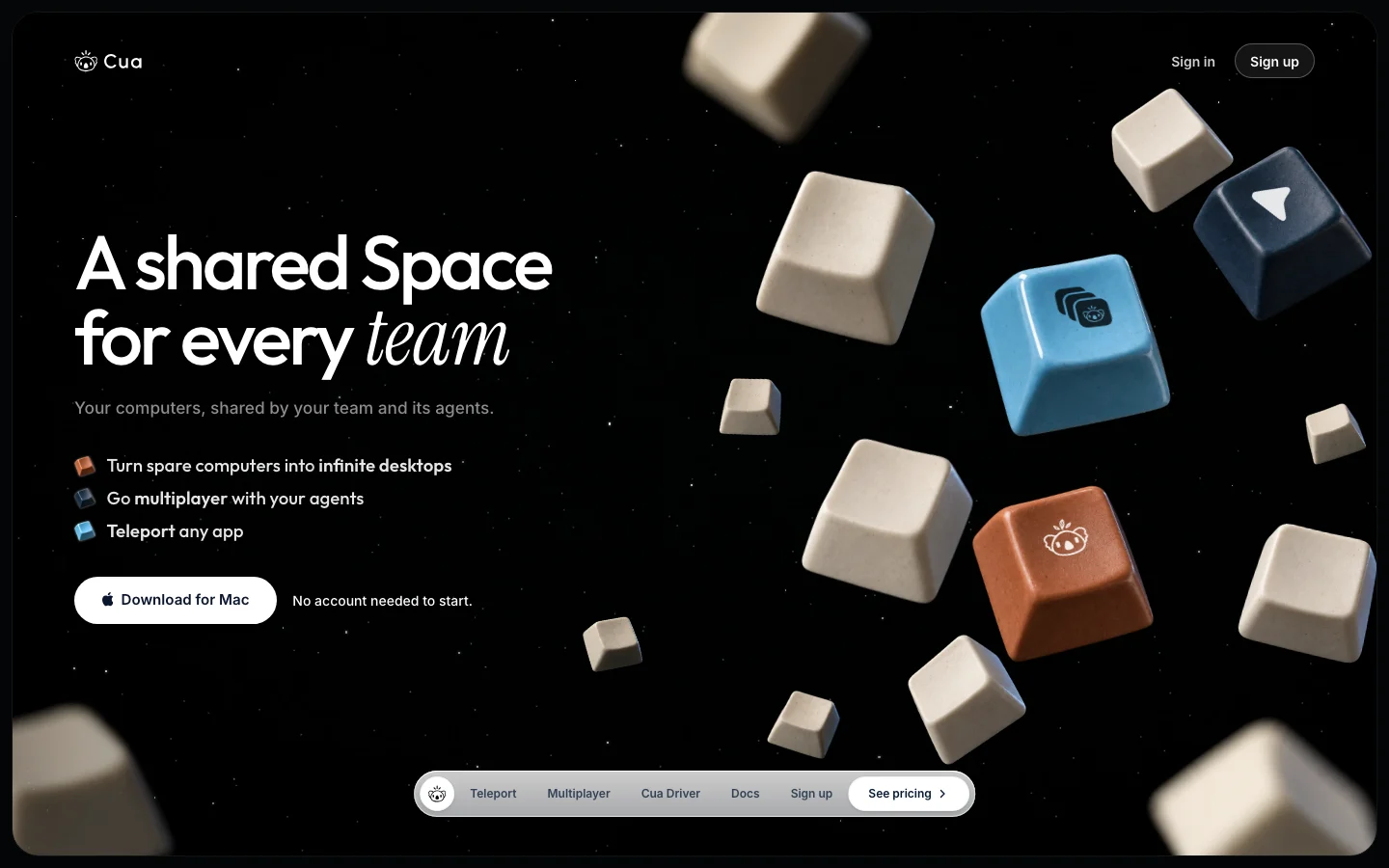
This is Cua's real first-party homepage, captured on 27 October 2026—not a generated product mock-up.
The review in 30 seconds
| The question | My answer |
|---|---|
| What is it? | shared desktop and computer-use infrastructure for people and AI agents |
| What is the interesting part? | Human takeover is not treated as an exception. |
| What would I test first? | A support-operations team connects one spare Mac or isolated cloud VM, creates a Space and gives a computer-use agent one reversible browser task. |
| What is the biggest concern? | The product changed materially. |
| How much does it cost? | Free; Pro $18/month or $180/year; Teams $30/seat/month or $300/seat/year |
| Who should shortlist it? | developer and operations teams that want observable computer-use agents running on their own Macs, PCs, servers or cloud accounts |
Why Cua exists
Computer-use agents need an operating system, applications, permissions and a safe place to fail. Cua Spaces provides desktops on machines the customer owns or rents, while Driver gives agents a way to control native applications without taking over the user’s main cursor.
In practical terms, it is trying to help teams:
- Give an AI agent a separate desktop instead of a user’s foreground session
- Watch, interrupt and take over an agent’s desktop work
- Share computers and sessions with teammates and agents
- Move approved signed-in application sessions into a controlled Space
- Connect agent frameworks through MCP, CLI and SDK interfaces
The part I like most
Human takeover is not treated as an exception. A person and an agent can share the same desktop, each with a cursor, and the person can step in at the moment judgment matters. That is a much more realistic model of computer-use automation than pretending autonomy is always the goal.
That is the idea that earns Cua a place on a shortlist. The rest of the evaluation is about whether the implementation can support it without creating a new operational problem.
What Cua appears to do well
Cua Spaces
A Space is a desktop that runs on a computer the customer owns or rents. The user can watch an agent work, take control and share the desktop. This model can improve oversight, but it does not remove responsibility for machine security, software licences, backups, patching or cloud charges.
Cua Driver
The MIT-licensed Driver lets agents interact with native macOS, Windows and Linux applications without taking over the user’s main pointer and keyboard. Test accessibility-tree coverage, screenshot fallbacks, focus behaviour and confirmation steps across the exact applications in scope.
Teleport and shared sessions
Cua says Teleport packages an approved application session and moves it into a Space, with explicit consent, local authentication and integrity checks. Because signed-in state is sensitive, buyers should test what is transferred, what is excluded, how bundles expire and whether revocation propagates promptly.
Bring-your-own computers
Spaces can run locally, on other connected computers or in the buyer’s own cloud. That creates deployment choice and can keep compute accounts under customer control, while transferring capacity planning, image hardening, network policy and cost management to the customer.
Current product boundary
Cua’s documentation states that Cua Cloud and Fleets ended on 18 October 2026. Local sandboxes, customer-owned cloud deployments, Spaces, Driver and related SDK paths remain. Any pilot should remove deprecated cloud flags and confirm that old fleet, pool or hosted-compute assumptions are not embedded in the proposed architecture.
The catch
The product changed materially. Cua Cloud and Fleets ended on 18 October 2026. Anyone comparing Cua using older hosted-fleet material is evaluating a product that no longer exists; the current decision is about Spaces and bring-your-own compute.
That does not make the product a bad choice. It identifies the exact claim the pilot needs to prove. A polished demonstration is useful for learning the interface; it is not evidence that the difficult cases work.
Cua pricing: what the numbers actually mean
Cua’s current pricing lists Free at $0 with up to two live sessions and 20 hosted-relay hours per month. Pro is $18 monthly or $180 yearly, with up to five live sessions and 200 relay hours. Teams is $30 per seat monthly or $300 per seat yearly; each seat adds five sessions and 200 shared relay hours, plus team computers, roles and device approval. Audit history, expiring share links, SSO and audit export were described as coming rather than currently included. Customer-owned cloud and machine costs are separate.
The published price is only the beginning of the cost. I would also model implementation, usage, storage, integrations, human review and the work required when something fails. When model or API consumption matters, the AI Token and API Cost Calculator can help turn expected volume into a range rather than a guess.
What makes me cautious about security and control
The security model depends on where each Space runs and whether traffic uses Cua’s hosted relay. Cua says local or direct connections can avoid the relay, while relayed traffic terminates TLS at the relay and is not stored; Teleport bundles on Space images are described as end-to-end sealed. Verify current implementation, telemetry settings, device approval, role limits, secret handling, session recording, machine isolation and emergency revocation before giving an agent access to real accounts.
I would request the current security pack and map every credential, data type, automated action and deletion path before production access. The important question is not whether the vendor has a security page; it is whether the purchased plan and proposed architecture satisfy the team's real boundary.
What looks strong—and what still needs proving
What looks strong:
- Human observation and takeover are central to the current product design
- The free tier is sufficient for a bounded technical evaluation
- Bring-your-own compute provides meaningful placement and cost choices
- Cua Driver and several supporting components are MIT licensed
What still needs proving:
- Cua Cloud and Fleets ended in October 2026, invalidating older hosted-fleet comparisons
- Customers remain responsible for computers, cloud bills and operating-system licences
- Several audit and enterprise identity features are still described as coming
- Computer-use agents can cause consequential errors without strict task and permission boundaries
This is the useful dividing line between marketing and a buying decision. The strengths explain why the product is interesting. The unresolved points determine whether it is safe and economical for this particular team.
How I would test Cua
A support-operations team connects one spare Mac or isolated cloud VM, creates a Space and gives a computer-use agent one reversible browser task. A reviewer watches the session, interrupts at a sensitive decision, takes control, then returns the task. The pilot records completion, intervention frequency, permission prompts, connection quality, audit evidence and the time required to reset the machine to a known state.
I would include normal work, edge cases and known failures, then record completion, serious errors, human corrections, latency and full cost. Preserve the same input set so another product can be tested on equal terms. The AI Tool Chooser can help turn those requirements into a consistent shortlist before the pilot starts.
Cua alternatives
| Consider | When it makes more sense |
|---|---|
| E2B | managed cloud sandboxes and hosted isolation are more important than shared desktops |
| Daytona | developer-focused infrastructure for running isolated agent workloads is the main need |
| Browserbase | browser sessions rather than full native desktops define the workload |
| Open-source VM automation | the team wants to own the entire control plane and operating model |
| A dedicated test-device lab | human QA and fixed device coverage matter more than agent-native control |
The feature labels may look similar, but the operating model can be completely different. Test the closest two options on the same work rather than comparing screenshots and plan names.
If the shortlist is already becoming another stack of overlapping subscriptions, our guide to why companies pay for too many AI tools explains the consolidation questions to ask. For a broader selection framework, which AI tool should I use for my business? separates useful fit from feature-count noise.
For adjacent examples, read our Docket review and Sourcebot review.
Who should actually use Cua?
Cua makes the most sense for developer and operations teams that want observable computer-use agents running on their own Macs, PCs, servers or cloud accounts.
It is a weaker fit for buyers seeking a fully managed hosted computer fleet with no infrastructure ownership or teams that cannot support the required operating systems and permissions. In that situation, a narrower product, an existing platform feature or a better manual process may solve the problem with less integration and governance work.
Software solves an operating problem; it does not automatically make a SaaS company discoverable. Teams that also need buyers and AI answer engines to find their product can review our AEO and AI visibility service as a separate acquisition decision.
The funding context
Cua is listed by Y Combinator in the Spring 2025 batch. YC’s standard deal invests $500,000 in accepted companies. We did not find a company-confirmed cumulative funding total in the reviewed primary sources, so the defensible label is “YC standard investment minimum only,” not “$500,000 total raised.”
Funding can help a company build the expensive parts of the product. It does not establish reliability, security or customer fit, so it is context—not part of the verdict.
Final verdict
Cua is a compelling option for technical teams that want people and computer-use agents to share controlled desktops on hardware they own or rent. The free tier, open-source Driver and visible human takeover model reduce evaluation friction. The decisive caveat is product change: Cua Cloud and Fleets ended on 18 October 2026, so buyers should evaluate the current Spaces and bring-your-own-compute proposition rather than older hosted-fleet material.
My recommendation: Cua is compelling for technical teams willing to own the machines underneath their agents. Try one reversible workflow on an isolated computer and measure how often a person intervenes. If you want a completely managed fleet, this is no longer that product.
Frequently asked questions
What is Cua?
Cua provides shared desktop infrastructure and computer-control tooling that lets people and AI agents work on computers the customer owns or rents.
How much does Cua cost?
Cua listed Free at $0, Pro at $18 monthly or $180 yearly, and Teams at $30 per seat monthly or $300 per seat yearly when checked on 27 October 2026.
Did Cua Cloud shut down?
Yes. Cua’s documentation says Cua Cloud and Fleets ended on 18 October 2026. Spaces, Driver, local sandboxes and customer-owned cloud deployment remain.
How much funding has Cua raised?
Cua is a Spring 2025 YC company and passes YC’s $500,000 standard investment threshold. We did not find a company-confirmed cumulative total.
Was this Cua review hands-on?
No. This is a research-based first-look review using official public evidence. We did not test an authenticated Cua workspace or connect production data.
Did Cua pay for inclusion?
No disclosed commercial relationship or payment influenced this review, and no numeric rating was assigned.

Tolu S.
Operations Lead, AI Search & GEO
Leads operations for AI search visibility and generative engine optimization (GEO) campaigns.